.png)


.jpeg)



Product Advocate
That’s why we are excited to announce a powerful new capability in Triggr: the Microsoft Product Resolver. This feature simplifies license identification in two distinct ways: through a new programmatic function for workflows and an intuitive lookup tool for everyday use.
Automate License Lookups with Our New JavaScript Function
For those who live in code and build automated workflows, we're introducing the resolveSkuId() function. This new addition to our scripting environment allows you to programmatically translate any Microsoft SKU ID into a detailed, structured JSON object.
Gone are the days of needing to maintain static conversion tables. You can now integrate SKU resolution directly into your automation scripts with a single line of code. This is perfect for tasks like custom reporting, automated license provisioning, or validating service entitlements on the fly.
Here’s how easy it is to use. Just call the function from a code block with a SKU ID (like the ones you get back from get back from the get subscribed SKUs Graph API call to see available licenses on an account):
resolveSkuId('3b555118-da6a-4418-894f-7df1e2096870');
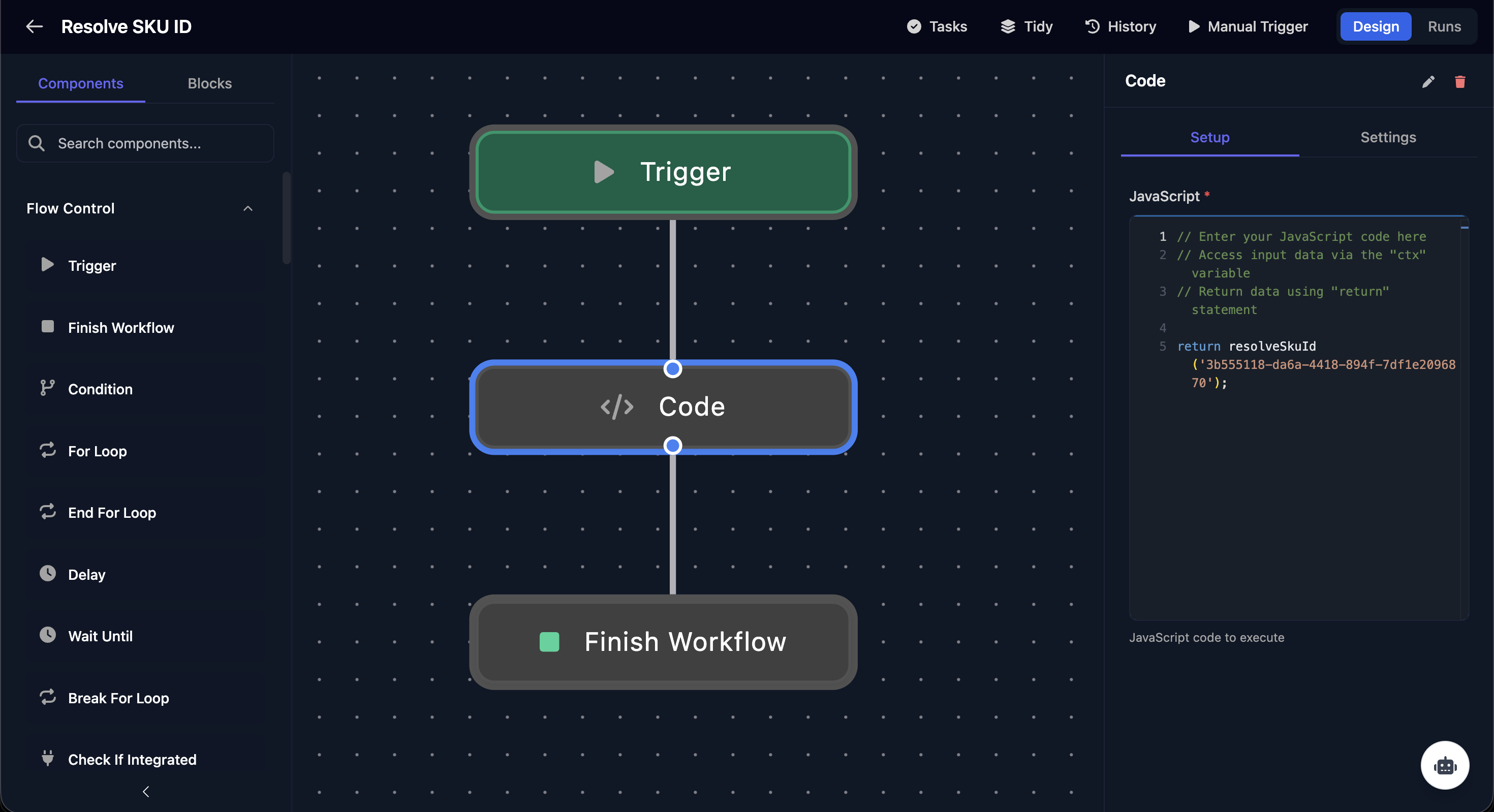
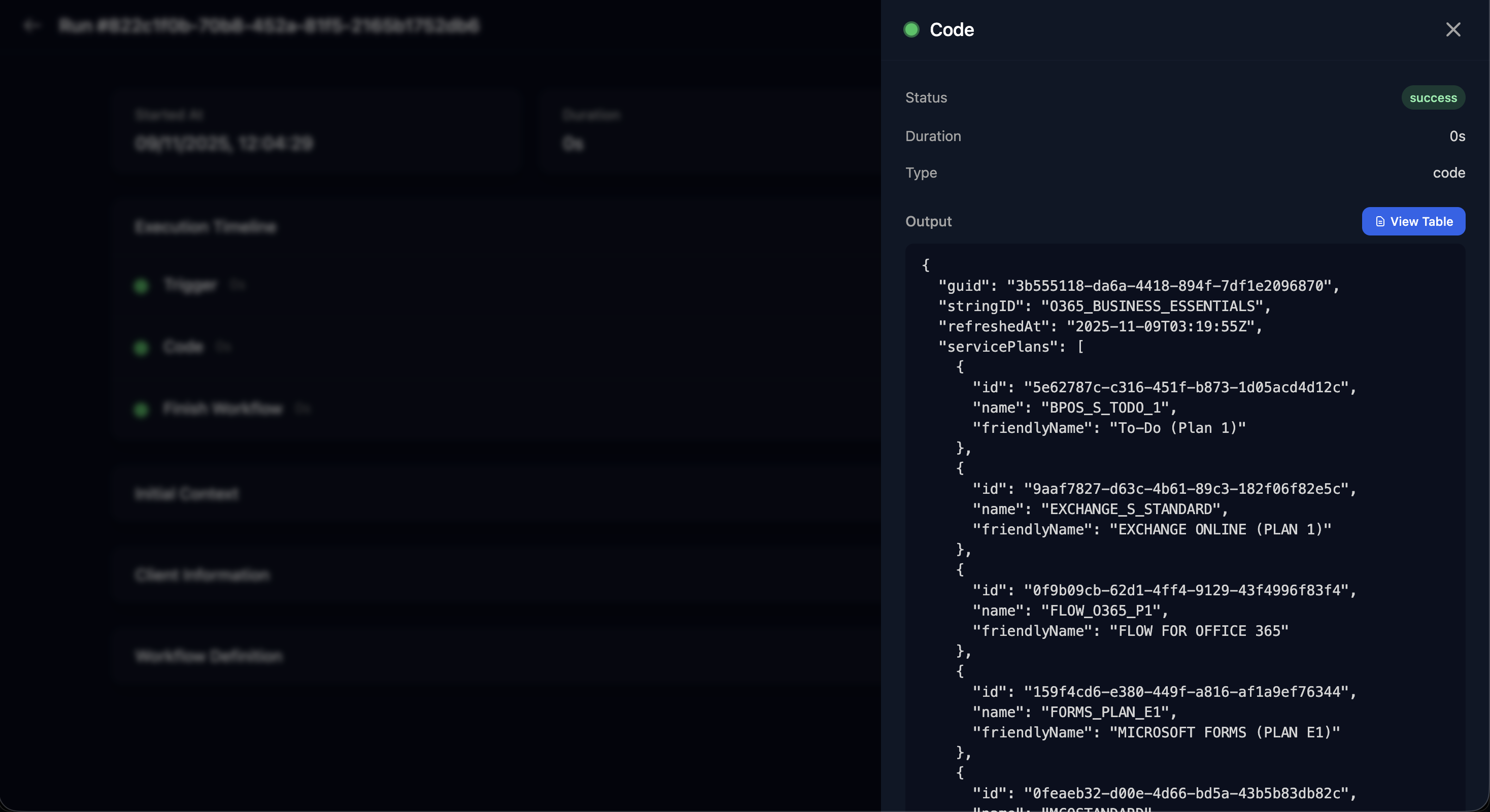
The function returns a clean, comprehensive object containing everything you need to know about that license. You get the proper product name, its string ID, and a complete list of all associated service plans with their friendly names.
Here’s an example of the data you get back for "Microsoft 365 Business Basic":
{
  "guid": "3b555118-da6a-4418-894f-7df1e2096870",
  "stringID": "O365_BUSINESS_ESSENTIALS",
  "productDisplayName": "Microsoft 365 Business Basic",
  "refreshedAt": "2025-11-09T03:19:55Z",
  "servicePlans": [
    {
      "id": "5e62787c-c316-451f-b873-1d05acd4d12c",
      "name": "BPOS_S_TODO_1",
      "friendlyName": "To-Do (Plan 1)"
    },
    {
      "id": "9aaf7827-d63c-4b61-89c3-182f06f82e5c",
      "name": "EXCHANGE_S_STANDARD",
      "friendlyName": "EXCHANGE ONLINE (PLAN 1)"
    },
    {
      "id": "57ff2da0-773e-42df-b2af-ffb7a2317929",
      "name": "TEAMS1",
      "friendlyName": "Microsoft Teams"
    }
    // ...and many more service plans
  ]
}
This function empowers developers to build more intelligent and context-aware solutions for Microsoft 365 management, saving time and reducing errors.
Instant Clarity with the Microsoft Product Resolver Tool
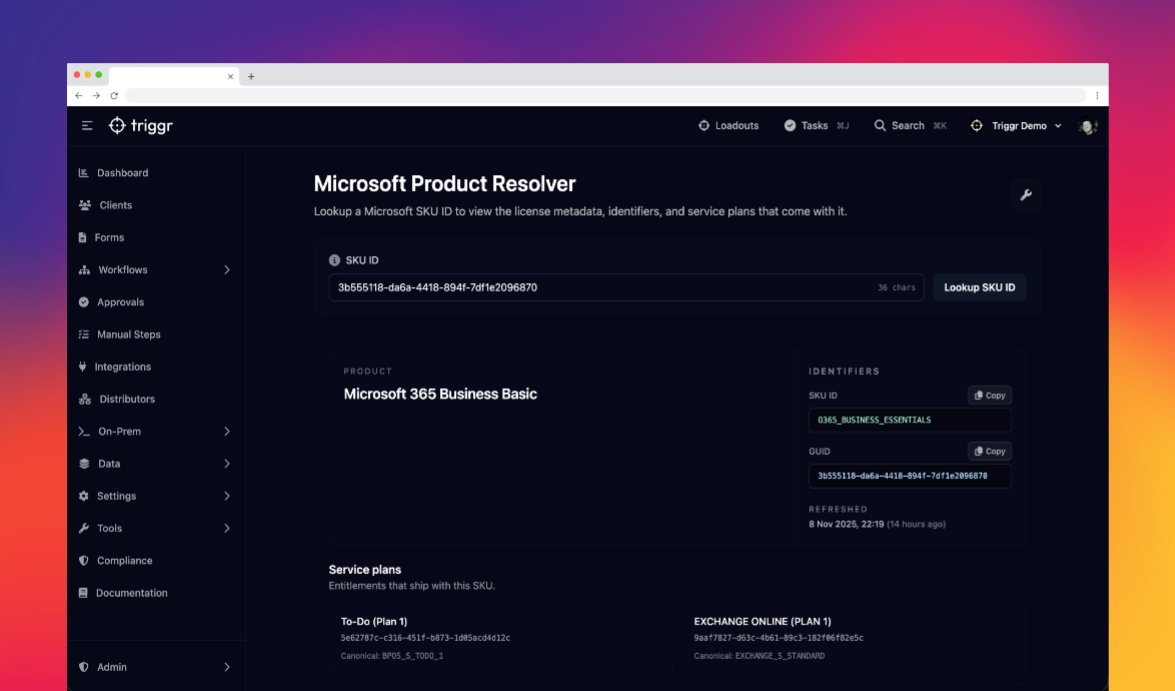
While the resolveSkuId() function is a game-changer for automation, we also wanted to provide a simple, visual tool for daily administrative tasks. Introducing the Microsoft Product Resolver utility, now available in your Triggr toolkit.
To access this, simply navigate to Tools -> Microsoft Product Resolver in the sidebar, or use our global search.
This user-friendly tool does exactly what its name suggests. Paste in a SKU ID, and it instantly gives you the clean, human-readable product name.

But it also provides more than just a name. The tool also displays a comprehensive breakdown of every individual service plan included with the license. You can see every entitlement, from Exchange Online and SharePoint to Power Automate and Microsoft Defender, all in one clear view.
This makes it incredibly easy to:
- Verify Licenses: Quickly confirm what a specific license actually provides.
- Save Time: Stop wasting hours searching through Microsoft documentation or partner portals.
- Improve Accuracy: Assign the right licenses and services to users with confidence.
- Streamline Audits: Easily check license entitlements during compliance reviews.
A Unified Solution for SKU Resolution
Whether you are a developer building sophisticated automation on the Triggr platform, or just want to make your day to day manual tasks more convenient, the Microsoft Product Resolver has you covered. By demystifying Microsoft's complex product catalog, we empower you to manage your environment more effectively.
This feature is now live for all users. We encourage you to explore both the JavaScript function and the UI tool. We built this to solve a common frustration that we had when building workflows for you, and we're excited to see how you use it. Your feedback is always welcome as we continue to build tools that make your job easier.


